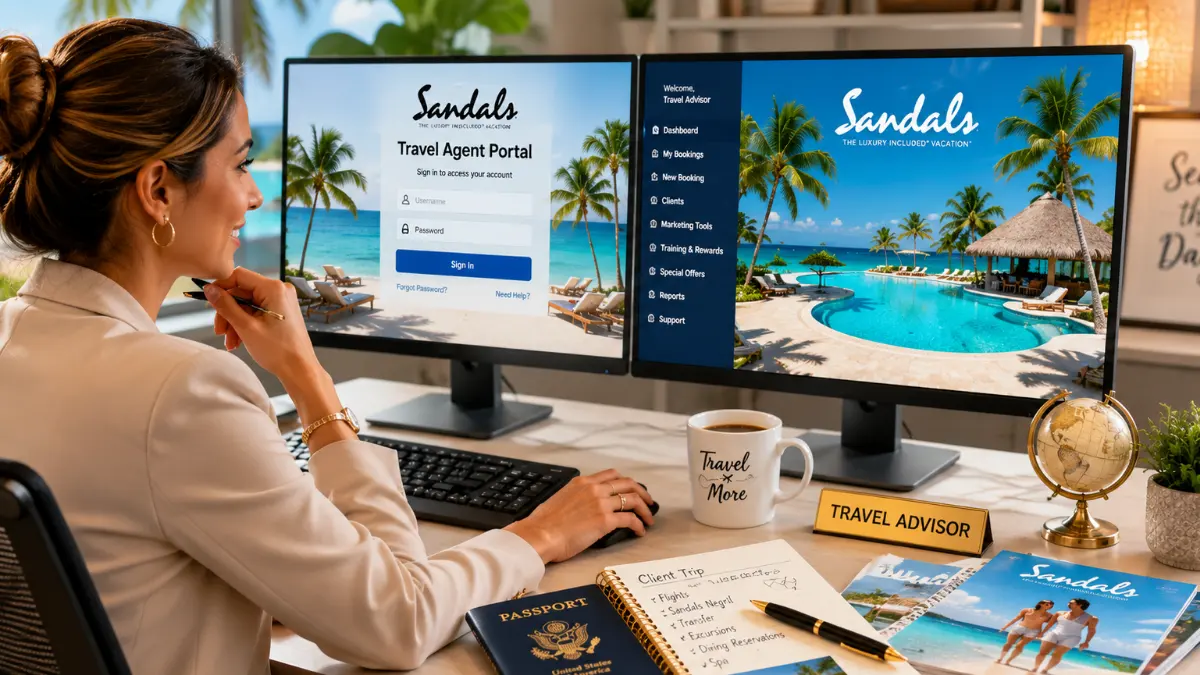
The Sandals travel agent login portal accessed at sandalsresorts.com/travel agents gives certified travel professionals in the USA instant access to exclusive booking tools, commission tracking, client management, and resort training resources. Logging in takes under two minutes once your agency is registered with the Sandals Specialist program.
Every experienced travel agent knows this feeling: a client calls, dreaming of a Caribbean escape white sand beaches, turquoise water, and an all inclusive resort where they never have to think about the bill. They want Sandals and you want to deliver, flawlessly, while earning the commission you deserve.
But if you’ve ever struggled to find the Sandals travel agent login, reset a forgotten password at the worst possible time, or wondered why your booking tools aren’t loading correctly, you’re not alone. Thousands of U.S. based travel professionals deal with the same friction every week.
This guide solves that. If you’re logging into the Sandals agent portal for the first time or troubleshooting access issues before a client deadline, everything you need is right here from registration and login steps to commission structures, insider booking tips, and how to use the portal to grow your luxury travel business. Let’s get you in and sell.
Quick Facts: Sandals Travel Agent Portal at a Glance
| Feature | Details |
| Portal Name | Sandals Travel Agent Portal (WeddingMoons® included) |
| Login URL | sandalsresorts.com/travel agents |
| Eligibility | IATA/IATAN/CLIA/ARC accredited agents |
| Training Program | Sandals Certified Specialist (SCS) |
| Commission Rate | Typically 10–15% (varies by booking type) |
| Support Line | 1 800 SANDALS (travel agent line) |
| Booking Tools | Online, GDS, and direct agent booking |
| App Available | Yes Sandals & Beaches Agent App (iOS/Android) |
Always verify current rates and policies directly with Sandals Resorts International, as program details change periodically.
What Is the Sandals Travel Agent Login Portal?
The Sandals travel agent login portal is a dedicated online platform built exclusively for certified travel professionals. It gives agents access to real time inventory, commission dashboards, marketing assets, client booking management, and the Sandals Certified Specialist training program all in one place.
This portal operates separately from the public Sandals consumer website. Agents who log in gain tools and pricing visibility that the general public cannot access. Think of it as the professional backstage of one of the Caribbean’s most recognized all inclusive luxury resort brands, which operates more than 15 properties across Jamaica, Barbados, St. Lucia, Antigua, The Bahamas, Grenada, and Curaçao.
The same login credentials also unlock access to Beaches Resorts Sandals’ family focused sister brand making this portal a single gateway for booking both luxury couples retreats and family vacations.
How to Access the Sandals Travel Agent Login: Step by Step
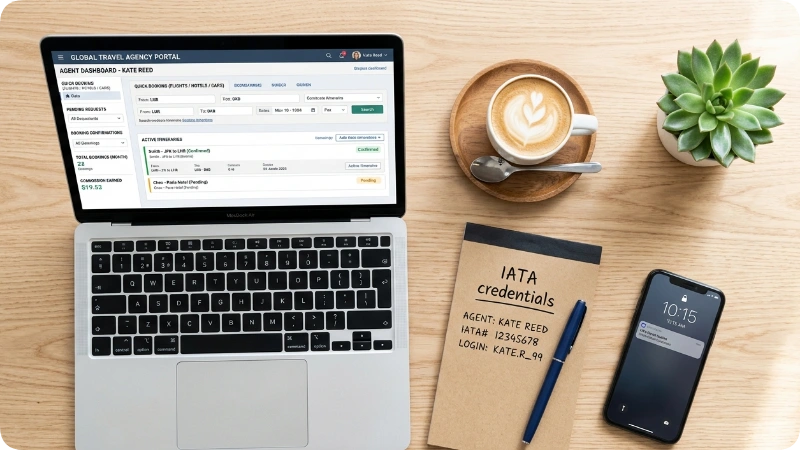
New to the portal? Here’s exactly how to get in and start booking within the same session.
Step 1: Confirm Your Agency Credentials
Before attempting to log in, make sure your agency holds active accreditation from one of the following organizations:
- IATA (International Air Transport Association)
- IATAN (International Airlines Travel Agent Network)
- CLIA (Cruise Lines International Association)
- ARC (Airlines Reporting Corporation)
Sandals requires at least one of these credentials to approve portal access. Independent agents working under a host agency can use the host agency’s accreditation to confirm this arrangement with your host before registering.
Step 2: Register as a Sandals Certified Specialist
If you haven’t registered yet, go to sandalsresorts.com/travel agents and click “Become a Sandals Specialist.” Fill in your agency name, accreditation number, contact details, and personal information. Approval typically takes 1–3 business days.
Once approved, you receive a confirmation email with your login credentials. Keep this email losing it means going through the password reset process.
Step 3: Log In to the Travel Agent Portal
Navigate to sandalsresorts.com/travel agents and click the “Agent Login” button in the top right corner. Enter your registered email address and password. The portal uses multi factor authentication (MFA) for some accounts, so keep your phone nearby for a verification code.
Step 4: Complete Sandals Certified Specialist Training (Recommended Immediately)
Once inside, go straight to the Learning Center and begin SCS (Sandals Certified Specialist) training if you haven’t completed it. Training modules are self paced, cover individual resorts, and directly impact your ability to earn higher commissions and access promotional rates. The more certifications you complete, the stronger your earning potential.
Step 5: Explore the Booking Engine and Dashboard
After logging in, your dashboard shows:
- Active bookings and upcoming client travel
- Commission summaries and pending payments
- Promotional rates and limited time offers
- Marketing assets and co branded materials
- Access to the WeddingMoons® specialist tools
Troubleshooting Common Sandals Travel Agent Login Problems
Most login issues resolve in under five minutes using the steps below no hold music required.
Forgot Your Password
Click “Forgot Password” on the login page and enter the email address associated with your account. Sandals sends a reset link within a few minutes. Check your spam folder if it doesn’t arrive many agency email servers flag it as promotional.
Account Locked After Failed Attempts
After several failed login attempts, Sandals locks the account as a security measure. Contact the Sandals Travel Agent support line at 1 800 SANDALS (or the direct agent line) to unlock it. Have your agency accreditation number ready they’ll verify your identity before unlocking.
Browser Compatibility Issues
The Sandals agent portal works best on Google Chrome or Microsoft Edge (current versions). If the booking tools won’t load or the dashboard appears broken, try:
- Clearing your browser cache and cookies
- Disabling browser extensions, especially ad blockers
- Switching to an incognito/private window
- Trying a different browser entirely
MFA Code Not Arriving
If you’re not receiving your multi factor authentication code via text or email, confirm the phone number and email on your account are current. The agent support team can update this information for you directly.
Wrong Portal (Consumer vs. Agent)
This is the most common mistake new agents make. The public Sandals website (sandalsresorts.com) and the travel agent portal share the same domain but use different login systems. Make sure you’re clicking “Travel Agents” in the navigation or going directly to the agent section of the site, not trying to log in through the regular consumer account area.
Sandals Certified Specialist (SCS) Program: Why It Matters
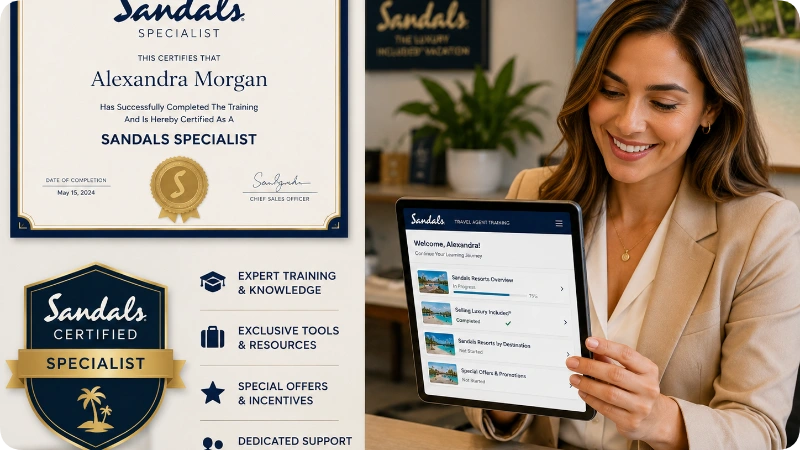
The Sandals Certified Specialist program is the training and credentialing system that separates high earning Sandals agents from the rest. It’s free to enrolled agents and directly tied to commission levels, booking access, and FAM (familiarization) trip eligibility.
Training Levels and What They Unlock
| SCS Level | Requirements | Benefits |
| SCS (Certified Specialist) | Complete core modules | Standard commissions, booking access |
| Elite SCS | Complete resort specific modules | Higher commissions, priority support |
| WeddingMoons® Specialist | Dedicated wedding training | Wedding/honeymoon booking tools |
| Beaches Specialist | Separate family resort training | Beaches booking access |
Training covers individual resort layouts, suite categories, dining options, included activities, and how to match clients to the right property. This knowledge pays off clients who feel their agent truly knows the resort convert at much higher rates and generates repeat bookings.
FAM Trips: How to Qualify
Sandals regularly offers familiarization (FAM) trips for certified agents, allowing travel professionals to experience the resorts firsthand at deeply reduced rates. Eligibility typically requires completing SCS training and meeting recent booking volume requirements. FAM trip opportunities appear in the agent portal dashboard and via email newsletters. Book these immediately when they open they fill fast.
How to Book Clients Through the Sandals Agent Portal
The portal’s booking engine lets agents search availability, apply promotions, and confirm reservations in real time no GDS required, though GDS booking is also supported.
Searching Availability
Use the “Book Now” tool within the portal to search by destination, travel dates, resort, and room category. The agent side view shows room availability, promotional pricing, and package combinations that differ from what clients see on the public website.
Applying Agent Exclusive Promotions
Sandals regularly runs agent only promotions, early booking bonuses, and limited time offers that aren’t available to the public. These appear highlighted in the booking engine and in your dashboard notifications. Always check current promotions before quoting a client. The savings can be significant and make your proposal more competitive.
Managing Client Profiles
The portal allows agents to save client profiles with travel preferences, dietary needs, anniversary dates, and past booking history. This makes future bookings faster and helps you deliver a personalized experience that builds long term client loyalty.
GDS Booking Option
Agents who prefer working within a Global Distribution System (GDS) such as Sabre, Amadeus, or Travelport can book Sandals resorts through those platforms as well. Use Sandals’ published GDS codes. Commission processing remains connected to your registered agent account.
Understanding Sandals Commission Structure for U.S. Agents
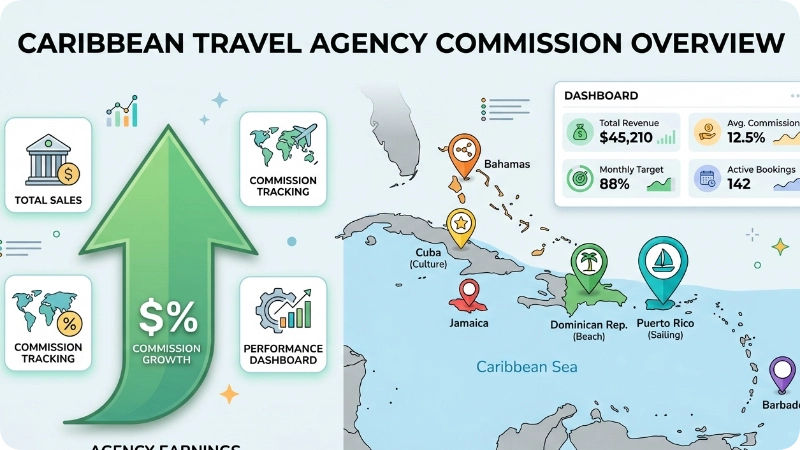
Sandals commissions for U.S. travel agents typically range from 10% to 15%, with higher rates available for Elite SCS certified agents and volume based incentives.
Commission is calculated on the base room rate, not on taxes, fees, or add ons. Payments process after client check in and are distributed through the agent’s registered method direct deposit or check, depending on your agency setup.
Commission Tracking in the Portal
Inside the portal, the Commission Dashboard shows:
- Pending commissions (bookings confirmed but client hasn’t traveled yet)
- Processing commissions (client has traveled, payment in queue)
- Paid commissions (completed and deposited)
- Year to date earnings summary
This transparency is one of the biggest advantages of working directly through the Sandals portal rather than third party booking platforms, which sometimes obscure commission timelines.
Insider Tip: Stack Commissions With Group Bookings
Group bookings typically 5+ rooms traveling together often unlock enhanced commission rates and complimentary amenities for the organizing agent. The portal has a dedicated Group Booking tool that generates quotes and tracks group block availability. Honeymoon groups, destination wedding parties, and milestone birthday trips are excellent opportunities for this approach.
Sandals & Beaches Agent Mobile App
The Sandals & Beaches Agent App, available free on iOS and the Google Play Store, puts the full power of the portal in your pocket.
Key features of the mobile app include:
- Real time booking and availability search
- Commission tracking on the go
- Push notifications for promotions and FAM trip openings
- Resort image galleries and virtual tours for client presentations
- Digital marketing assets ready to share via text or email
The app is especially useful during client consultations pulling up resort photos, suite categories, and included amenities in real time makes a far stronger impression than reading from a brochure.
Top Sandals Resorts to Know and Sell in 2026

Understanding the differences between Sandals properties is what separates good agents from great ones. Here’s a practical overview of flagship properties that generate the most U.S. bookings.
Sandals Royal Barbados
The newest Sandals property in Barbados, Royal Barbados appeals to clients who want a more refined, adults only atmosphere with rooftop pools and upscale dining. It connects directly with Sandals Barbados next door, effectively doubling the amenities available.
Sandals Royal Caribbean (Jamaica)
Located in Montego Bay, this property features an offshore private island connected by boat, a detail that sells itself. Clients who want a dramatic, unique resort experience often end up here.
Sandals Grande St. Lucian
For the most photographed overwater bungalow experience in the Sandals portfolio, this property on a strip of land between two bays in St. Lucia is the one. Couples celebrating anniversaries or honeymoons frequently request it by name.
Sandals Dunn’s River (Jamaica)
A newly renovated property in Ocho Rios, positioned near Dunn’s River Falls one of Jamaica’s most visited natural attractions. Great for clients who want resort luxury with easy access to excursions.
Beaches Turks & Caicos
For family bookings, Beaches Turks & Caicos on Grace Bay consistently rated one of the world’s best beaches is the flagship property. Booking through the agent portal unlocks Beaches specific training and dedicated family travel tools.
5 Insider Tips for Sandals Travel Agents
These tips come from experienced agents who book Sandals regularly not from the brochure.
- Book the Sunday departure when possible. Sandals often runs its strongest promotional pricing on Sunday departures, particularly during shoulder season. Running a Sunday vs. Saturday comparison in the portal before quoting clients frequently reveals meaningful savings.
- Use the “Butler Suite” pitch strategically. Clients who initially book standard rooms often upgrade when agents explain Butler Service, a dedicated in room butler available 24/7. Presenting this option during the booking conversation, not as an afterthought, significantly increases average booking value.
- Set calendar reminders for FAM trip announcements. FAM trip notices go live in the portal and via email simultaneously. Agents who act within the first 24 hours have a much better chance of securing a spot before capacity fills.
- Complete WeddingMoons® training even if you don’t specialize in weddings. Clients booking honeymoons are among the highest value Sandals customers. Having the WeddingMoons® certification visible on your profile builds credibility during consultations and opens access to dedicated planning tools.
- Track your commission dashboard weekly, not monthly. Catching a commission discrepancy within days of client check in is far easier to resolve than flagging it weeks later. The Sandals agent support team responds faster to recent issues.
3 Common Mistakes Sandals Agents Make (and How to Fix Them)
Mistake 1: Booking Without Checking Current Promos First
Many agents pull up availability, quote the standard rate, and send it to the client then discover a 30% off promotion was running that same week. Fix: Make the promotions tab your first stop inside the portal every time, before touching the booking engine.
Mistake 2: Using a Lapsed Accreditation Number
If your IATA or CLIA accreditation has expired or changed, the portal may display confusing errors or silently block commission attribution. Fix: Verify your accreditation status with your parent organization annually and update it in your Sandals portal profile immediately after any change.
Mistake 3: Sending Clients to the Wrong Sandals Website
Agents sometimes direct clients to browse sandalsresorts.com and then try to match what the client found with what the portal shows, causing price confusion. Fix: Build a workflow where you handle all pricing and comparison internally through the agent portal, then present a custom quote to the client rather than inviting them to price shop publicly.
Sandals vs. Competitors: What Agents Should Know
| Factor | Sandals Resorts | Secrets Resorts | Club Med |
| Target Client | Couples only | Couples, some adults | Families + couples |
| Commission (typical) | 10–15% | 10–15% | 10–12% |
| Training Program | Sandals Specialist (SCS) | AMR Specialist | Club Med Academy |
| Caribbean Presence | Strong (7 destinations) | Strong (Mexico, Caribbean) | Limited Caribbean |
| Agent Portal Quality | Robust, mobile app included | Strong | Good |
| Overwater Bungalows | Yes (St. Lucia, Maldives) | Yes (some properties) | Limited |
Commission rates and program structures vary. Verify current terms directly with each resort group.
FAQs
How do I log in to the Sandals travel agent portal?
Go to sandalsresorts.com, navigate to the Travel Agents section, and click “Agent Login.” Enter your registered email and password. If you’re new, click “Become a Sandals Specialist” to register first using your agency’s IATA, IATAN, CLIA, or ARC accreditation number. Approval typically takes 1–3 business days.
What do I do if I forgot my Sandals agent portal password?
Click “Forgot Password” on the agent login page and enter your registered email. A reset link arrives within a few minutes. Check your spam folder if it doesn’t appear. If you no longer have access to that email address, contact the Sandals travel agent support line directly at 1 800 SANDALS.
Can independent travel agents (not tied to a traditional agency) log in?
Yes, independent agents working under an accredited host agency can access the Sandals portal using the host agency’s credentials. Confirm the arrangement with your host agency, as some host agencies register agents individually while others use a shared login structure.
How much commission do Sandals travel agents earn?
Sandals commissions for U.S. agents typically range from 10% to 15%, calculated on the base room rate. Elite SCS certified agents and high volume producers may qualify for higher rates and override bonuses. Always verify current commission terms directly with Sandals, as rates can change.
Does the Sandals agent portal also cover Beaches Resorts?
Yes. The same agent login credentials provide access to both Sandals and Beaches Resorts booking tools, though Beaches Resorts has its own dedicated specialist training track within the portal. Completing Beaches specific training unlocks family resort tools and relevant marketing materials.
How long does Sandals Certified Specialist training take?
The core SCS training takes approximately 2–4 hours to complete, though individual resort modules add additional time. Training is entirely self paced and available 24/7 through the portal’s Learning Center. Most agents complete the foundational certification within their first week of access.
What should I do if the Sandals travel agent portal isn’t loading correctly?
Try clearing your browser cache, switching to Google Chrome or Microsoft Edge, and disabling browser extensions. The portal performs best on current browser versions. If problems persist, contact the Sandals agent technical support line. Avoid using the portal on older browsers or outdated operating systems.
Conclusion: Your Sandals Agent Portal Is a Revenue Tool, Not Just a Login
Three things matter most about the Sandals travel agent login portal: getting in is straightforward once you have active accreditation, completing SCS training directly increases what you earn, and using the portal’s built in tools commission tracking, group booking, promotions, and the mobile app separates agents who book Sandals occasionally from those who build a real book of Caribbean luxury business.
The portal works best when you treat it as a live dashboard rather than a one time destination. Log in regularly, check promotions before every client quote, and use the FAM trip opportunities to build the firsthand resort knowledge that clients can actually feel during a consultation.
Start with your login, finish your first SCS training module today, and let the tools do the rest.