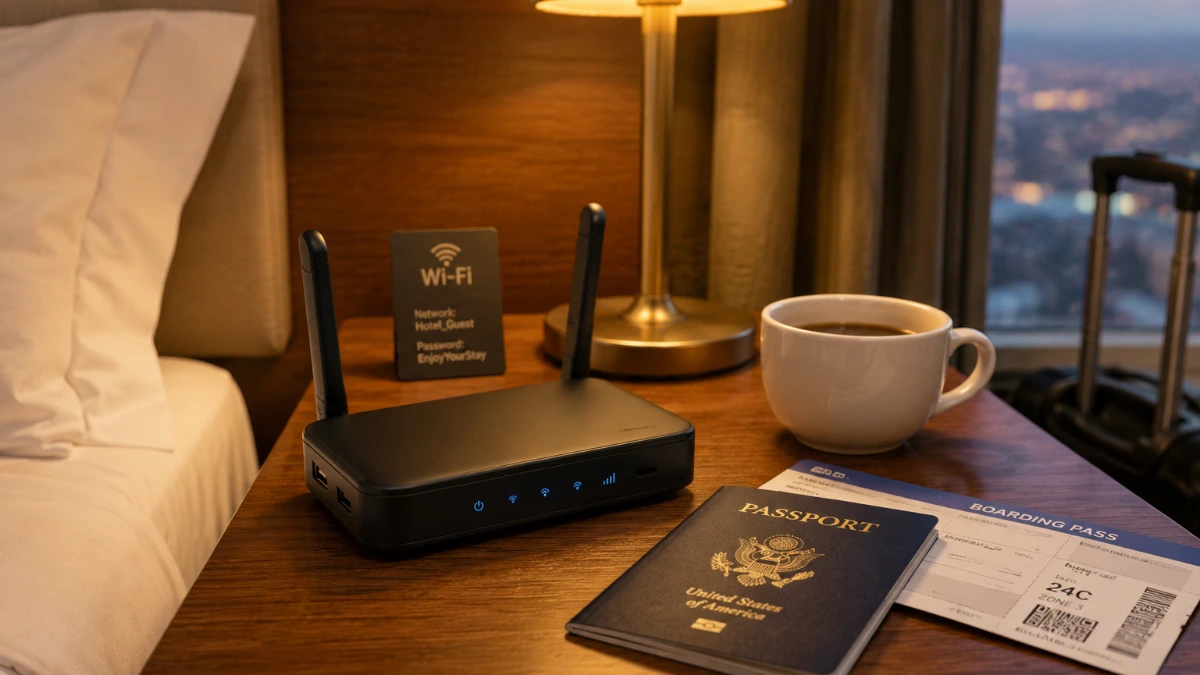
A travel router is a compact, portable device that creates a private Wi Fi network from a hotel ethernet port, public hotspot, or USB connection giving you secure, reliable internet access anywhere you go. If you need it for remote work, streaming, or keeping the family connected, the right travel router transforms frustrating public Wi Fi into a fast, private network in minutes.
Picture this: You’ve just landed in a new city, exhausted from a red eye flight. You check into your hotel, fire up your laptop, and discover the Wi Fi is either painfully slow, completely locked down, or worst of all completely open and unsecured. Sound familiar? For millions of American travelers, this is a recurring nightmare.
Travel routers have quietly become one of the most powerful tools in a modern traveler’s pack. If you’re a road warrior bouncing between business hotels, a family road tripping across the Southwest, or a digital nomad working from a rented cabin in the Smoky Mountains, staying connected matters. Bad Wi Fi isn’t just an inconvenience; it can cost you a missed deadline, a dropped video call, or worse, a security breach on an unprotected network.
This guide breaks down everything you need to know about travel routers: how they work, which features actually matter, how to set one up in minutes, and which mistakes most travelers make. By the end, you’ll know exactly how to pick the right device and use it like a pro.
What Is a Travel Router and How Does It Work?
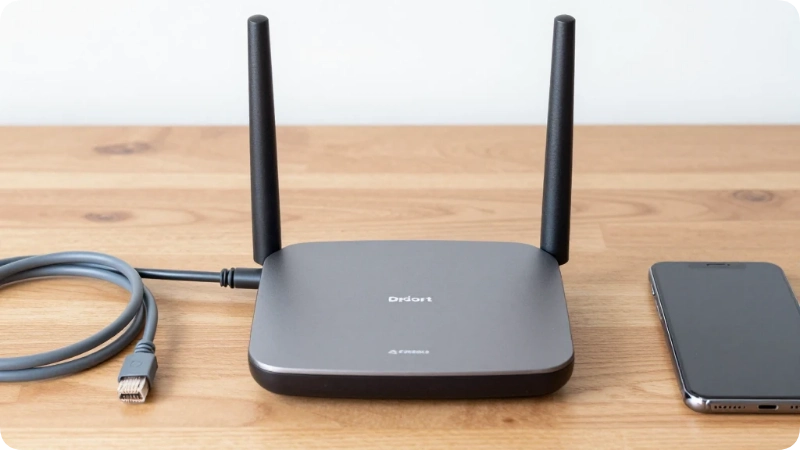
A travel router is a small networking device often no bigger than a deck of cards that takes an existing internet connection and rebroadcasts it as your own private, password protected Wi Fi network. Most modern travel routers support three core modes:
- Router mode: Connects to a hotel’s wired ethernet port and creates Wi Fi for your devices.
- Repeater/extender mode: Boosts an existing wireless signal and rebroadcasts it with stronger coverage.
- Access point mode: Converts a wired connection into wireless access for multiple devices simultaneously.
Many top models also include a built in VPN client, which encrypts your traffic automatically, a game changer for anyone working with sensitive data on public networks.
Why American Travelers Need a Travel Router in 2026
The need for travel routers has grown sharply. According to the American Hotel & Lodging Association (AHLA), over 70% of hotel guests list Wi Fi quality as a top priority yet many hotels still throttle bandwidth, restrict connections per room, or charge per device fees that add up fast.
Here’s why a travel router solves multiple problems at once:
- One login, all devices: Most hotels allow only one or two devices on their network. A travel router logs in once and shares that connection across all your phones, tablets, laptops, and smart devices.
- Security on public networks: The Cybersecurity & Infrastructure Security Agency (CISA) warns that public Wi Fi hotspots including those at airports, hotels, and coffee shops are prime targets for man in the middle attacks. A travel router with VPN support neutralizes this risk.
- Consistent speeds: By positioning your router optimally in the room, you can often get better signal than a device sitting far from the hotel’s access point.
- Cost savings: Paying $15–$25/night for hotel Wi Fi per device adds up to hundreds of dollars on a longer trip. A travel router pays for itself quickly.
Key Features to Look for in a Travel Router
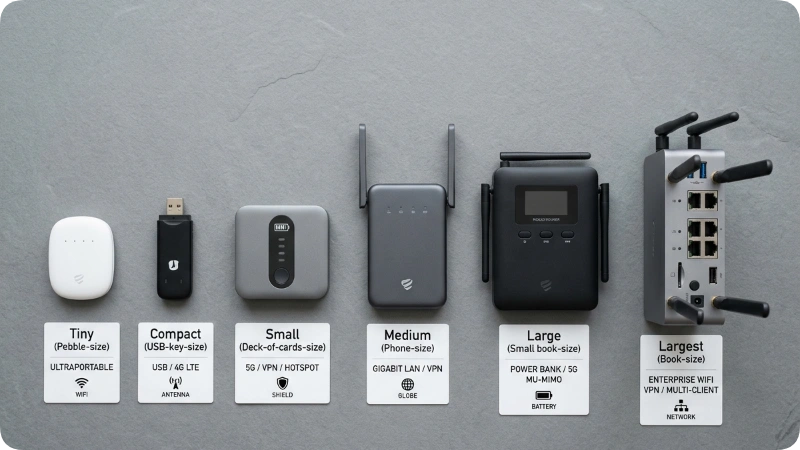
Not all travel routers are created equal. Before buying, focus on the features that actually affect your day to day experience on the road.
Wi Fi Standards and Speed
Look for a router that supports Wi Fi 6 (802.11ax) or at minimum Wi Fi 5 (802.11ac). Older Wi Fi 4 devices top out at around 300 Mbps fine for email, but not for 4K streaming or large file transfers. Wi Fi 6 models deliver real world speeds of 600 Mbps to 1.2 Gbps in favorable conditions, and they handle multiple devices far more efficiently.
Dual Band vs. Single Band
Dual band routers broadcast on both 2.4 GHz and 5 GHz frequencies simultaneously. The 2.4 GHz band offers longer range; the 5 GHz band delivers faster speeds at shorter distances. For travel, dual band is almost always worth the extra cost, especially if you’re connecting six or more devices.
Built in VPN Support
This feature is non negotiable for business travelers. A travel router with an integrated OpenVPN or WireGuard VPN client routes all your traffic through an encrypted tunnel automatically, without requiring you to set up a VPN app on every single device. Brands like GL.iNet and Beryl AX have built strong reputations here.
Size and Battery Life
The best travel routers weigh between 1.5 and 3.5 ounces and fit easily in a shirt pocket or laptop bag. Some models include a built in battery that doubles as a power bank handy for powering the router in locations without conveniently placed outlets.
Ethernet Port
At minimum, your travel router should have one WAN ethernet port so it can plug directly into a hotel room’s wired connection. Many hotels still offer wired connections that are significantly faster and more reliable than their shared wireless network.
USB Tethering
Some travel routers allow you to plug in a smartphone via USB and share its cellular data connection with all your devices. This feature is especially valuable in international destinations or rural areas where hotel Wi Fi doesn’t exist.
Travel Router Quick Facts Table
| Feature | Entry Level | Mid Range | Premium |
| Wi Fi Standard | Wi Fi 4 (N) | Wi Fi 5 (AC) | Wi Fi 6 (AX) |
| Max Speed | ~300 Mbps | ~600 Mbps | 1.2+ Gbps |
| VPN Support | Rarely | Sometimes | Yes (built in) |
| Battery Included | No | Sometimes | Yes (some models) |
| Price Range | $20–$40 | $40–$80 | $80–$150+ |
| Best For | Occasional travelers | Frequent travelers | Digital nomads / business users |
Prices are approximate. Verify current pricing before purchasing.
Top Travel Router Modes Explained
Understanding the three primary modes helps you use your device correctly in every situation.
Router Mode (Most Common for Hotels)
Connect the travel router to the hotel’s ethernet port using a cable. The router creates a fresh Wi Fi network with your chosen name and password. All your devices connect to this network as if you were home. This mode is the most stable and fastest option when a wired port is available.
Wireless Relay / Repeater Mode
When no ethernet port is available, the router connects wirelessly to the hotel’s existing Wi Fi (you enter the hotel’s password once) and rebroadcasts it under your own network name. Speeds are slightly lower than wired mode because the router is handling both receiving and sending traffic on the same radio, but the security and device management benefits remain.
Access Point Mode
In this mode, you plug the router into a wired connection, and it broadcasts that connection wirelessly. Unlike router mode, access point mode does not create a separate local network all devices appear on the same subnet as the main network. This is useful in environments where you want seamless local network access.
Setting Up Your Travel Router: Step by Step
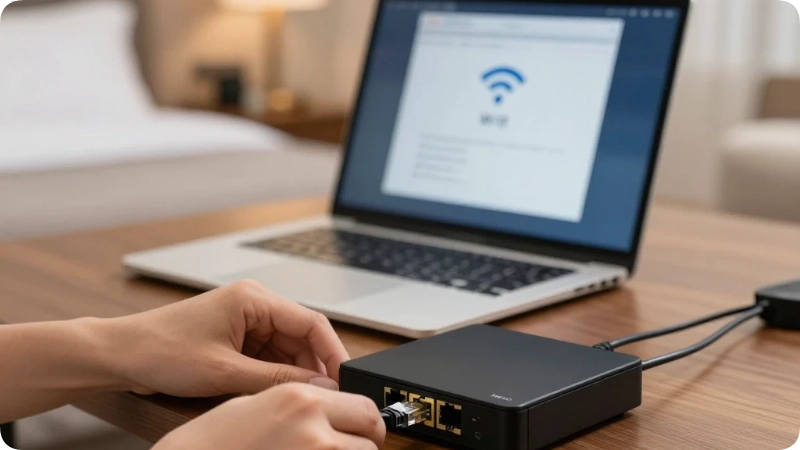
Getting your travel router up and running takes less than five minutes once you’ve done it once.
- Power on the router by plugging it in or switching it on if battery powered.
- Connect it to the internet source either via ethernet cable to the hotel’s wall port or wirelessly to the hotel’s Wi Fi using the router’s admin panel.
- Connect your device to the router’s Wi Fi look for the default network name (usually printed on the router’s label).
- Open the router’s admin panel typically accessible by typing 192.168.8.1 or 192.168.1.1 into your browser.
- Complete the setup wizard, enter the hotel’s Wi Fi credentials if in repeater mode, or name your new network and set a strong password.
- Enable VPN if your router supports it and you have a VPN subscription this usually takes one additional toggle in the settings panel.
- Connect all your devices to the new network using your chosen password.
Insider Tip: Take a photo of the router’s default login credentials (printed on the back label) before you leave home. Hotel lighting can make tiny text impossible to read.
Best Travel Routers for Different Types of Travelers
Best for Business Travelers: GL.iNet Beryl AX (GL MT3000)
The Beryl AX runs on Wi Fi 6, supports both OpenVPN and WireGuard natively, and delivers real world speeds that outperform most hotel ethernet connections. Its compact form factor and one tap VPN activation make it the go to choice for road warriors who need security without complexity. It handles up to 15 simultaneous device connections without noticeable slowdown.
Best Budget Option: TP Link TL WR902AC
For travelers who want reliable connectivity without spending over $30, the TL WR902AC delivers solid Wi Fi 5 performance in a device small enough to hang from a power outlet. It lacks VPN support and a built in battery, but for families connecting a few devices in a hotel room, it handles the job cleanly.
Best for International Travel: GL.iNet Slate AX (GL AXT1800)
The Slate AX supports 5G USB tethering, has a built in VPN kill switch, and works across virtually every region’s power standard via adapter. Frequent flyers to Europe, Asia, and Latin America will appreciate its ability to switch frequencies and connect to international cellular modems seamlessly.
Best Battery Powered Option: RAVPower FileHub
The RAVPower FileHub combines a travel router, a power bank, and a file sharing hub in one device. It allows you to plug in a USB drive or SD card and share files wirelessly between devices, a killer feature for photographers and video creators traveling with large media collections.
Note: Specific model availability and pricing change frequently. Always verify current specs and reviews at retailers like Amazon, B&H Photo, or Best Buy before purchasing.
Travel Router Security: What You Must Know
Security is the most underrated reason to use a travel router. When you connect directly to hotel or airport Wi Fi, your device becomes visible to every other device on that network. That includes other guests, and potentially bad actors running packet sniffing software.
A travel router creates a network address translation (NAT) layer between your devices and the upstream network. This effectively makes your devices invisible to others on the hotel network; they only see the router’s MAC address, not yours.
Adding a VPN takes this further. All traffic between your devices and the wider internet routes through an encrypted tunnel, preventing even your internet service provider from monitoring what you’re doing.
Three Security Mistakes to Avoid
Mistake 1: Using hotel Wi Fi directly for sensitive work. Even HTTPS doesn’t fully protect you on untrusted networks from sophisticated attackers. Fix: Always use a travel router with VPN enabled when accessing banking, corporate email, or confidential files.
Mistake 2: Leaving the router on its default password. If someone in the hotel finds your router’s default SSID, they may attempt to log into its admin panel using the manufacturer’s default credentials which are publicly available online. Fix: Change both the Wi Fi password and the admin panel password the first time you set up the router.
Mistake 3: Forgetting to update firmware. Outdated firmware can contain known vulnerabilities. Fix: Check for firmware updates when you first purchase the router, and once more before a major international trip.
Travel Router vs. Mobile Hotspot: Which Is Better?
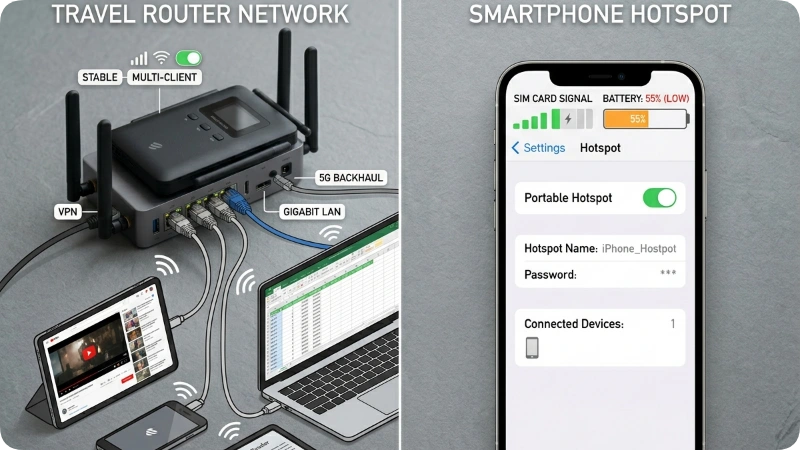
This is one of the most common questions travelers ask, and the answer depends entirely on your situation.
| Factor | Travel Router | Mobile Hotspot / Phone Tethering |
| Upfront Cost | $30–$150 | Often free (built into phone) |
| Monthly Cost | None (after purchase) | Can deplete mobile data plan |
| Security | High (NAT + optional VPN) | Moderate |
| Max Devices | 10–30 | 5–10 |
| Speed (hotel) | Uses hotel’s full bandwidth | Limited by cellular signal |
| Battery Impact | Separate device no phone drain | Drains phone battery fast |
| International Use | Works anywhere with Wi Fi source | Requires international data plan |
Bottom line: If you have reliable hotel Wi Fi, a travel router is almost always the smarter, cheaper, and more secure choice. Mobile hotspots shine in locations without any fixed Wi Fi remote campgrounds, rural drives on the Blue Ridge Parkway, or areas without hotel infrastructure.
How to Use a Travel Router at U.S. Airports
American airports have some of the busiest public Wi Fi networks in the world. Hubs like Hartsfield Jackson Atlanta International Airport (ATL), O’Hare International Airport (ORD), and Los Angeles International Airport (LAX) serve millions of passengers monthly all competing for bandwidth on shared networks.
A travel router in repeater mode connects to the airport’s free Wi Fi, then rebroadcasts it to all your devices privately. You still share the airport’s bandwidth with other users, but you gain the security and device management benefits.
Insider Tip: For layovers longer than two hours at major hub airports, look for airport lounge day passes (often available through credit card partnerships). Lounge Wi Fi is dramatically faster and less congested than terminal Wi Fi a travel router amplifies those benefits to your entire device lineup.
Travel Routers for Family Road Trips

Families traveling by car face a specific problem: everyone has their own device, everyone wants different content, and mobile data bills spiral out of control fast. A travel router with USB tethering capability offers an elegant solution.
Connect the router to your smartphone via USB, and it distributes that cellular connection to every device in the car: tablets, laptops, handheld gaming systems through a single organized network. Because the router handles the connection rather than your phone’s hotspot, battery drain on your phone is typically lower, and you can set bandwidth controls on specific devices (useful for keeping streaming in check on long drives through places like the Grand Canyon corridor in Arizona or the Pacific Coast Highway in California).
Family Tips:
- Name the router’s network something the kids will recognize it avoids confusion when reconnecting after rest stops.
- Set up a guest network on models that support it, so kids’ devices are isolated from your work devices.
- Download offline content (Netflix, Disney+, Spotify) before hitting rural stretches of I 70 through Kansas or I 90 in Wyoming, where cell coverage is sparse regardless of your router setup.
Hidden Gem Uses for Travel Routers Most Travelers Don’t Know
1. Airbnb and Vacation Rental Security
Short term rentals present a genuine security problem: you have no idea who has previously connected to that router or what devices are still on the network. Plugging your travel router into the rental’s ethernet port creates a completely separate, isolated network for your devices. Other guests’ devices past or present can’t interact with yours.
2. Smart TV Unlocking
Many hotel smart TVs are locked to the hotel’s network and prevent you from logging into your own streaming accounts. A travel router lets you connect the TV to your private network using ethernet or Wi Fi, bypassing hotel restrictions and giving you access to your Netflix, Hulu, or Max subscriptions on the big screen.
3. File Sharing Without Internet
Models like the RAVPower FileHub allow you to create a local Wi Fi network even with no internet access just for sharing files between devices. Photographers on wilderness trips through Glacier National Park in Montana or Zion National Park in Utah use this trick to wirelessly transfer RAW files from a camera to a laptop for editing without any internet connection whatsoever.
Common Mistakes Travelers Make With Travel Routers
Mistake 1: Not Checking the Hotel’s Ethernet Port First
Many newer hotels, especially boutique properties and short term rentals, have removed wired ethernet ports entirely as part of minimalist room redesigns. Always confirm that your destination offers wired connectivity if you’re relying on router mode. Fix: Carry both an ethernet cable and know how to use your router in repeater mode as a backup.
Mistake 2: Expecting a Travel Router to Fix Bad Internet
A travel router optimizes and secures your connection, but it can’t create bandwidth that doesn’t exist. If the hotel’s upstream connection is genuinely slow say, 5 Mbps shared across the whole property, your router won’t magically make it faster. Fix: Call ahead and ask the hotel about their internet speeds before booking, especially if reliable connectivity is essential for work.
Mistake 3: Ignoring VPN Incompatible Hotel Captive Portals
Some hotel networks use captive portals (the browser based login page you see when first connecting) that are incompatible with VPN connections. The router connects, but you can’t complete the login. Fix: Connect your laptop directly to the hotel Wi Fi first, complete the captive portal login, then reconnect through the travel router. Most routers remember that login session going forward.
Underrated Alternatives to Travel Routers
Option 1: eSIM Data Plans
Services like Airalo, Holafly, and T Mobile’s international plans offer affordable eSIM data that works in 100+ countries. For solo travelers who only have a couple of devices to connect, an eSIM can be simpler than carrying a travel router. However, eSIMs don’t solve the multi device problem or the security issue on shared networks.
Option 2: Cellular Signal Boosters
Companies like weBoost make in vehicle cellular signal boosters that amplify 4G/5G signals in dead zones. These aren’t routers, they don’t create Wi Fi networks but combined with phone tethering, they extend your effective data range through rural corridors where signal fades completely.
Option 3: Starlink Roam
Elon Musk’s Starlink now offers a portable satellite internet service for RVers and remote workers. The hardware cost is significant and the dish isn’t pocket sized, but for long term travelers exploring off grid areas of the American Southwest or Alaska, it provides bandwidth that no hotel router can match.
Packing Your Travel Router: What to Bring
Keep your travel router setup compact and organized with these essentials:
- The travel router itself (obviously!)
- A short ethernet cable (1–3 feet) most travel routers don’t include one
- A USB C charging cable compatible with your router’s power input
- A universal travel adapter if traveling internationally (check If your router accepts 110–240V input most modern ones do)
- The router’s original documentation or a photo of the default login credentials
- Optionally: a small Velcro cable tie to keep cords neat in your bag
Packing Pro Tip: TSA does not flag travel routers as prohibited items. You can pack them in either carry on or checked baggage. However, if the router has a built in lithium battery over 100Wh, you must carry it on it cannot go in checked luggage per FAA regulations. Most travel router batteries fall well under this threshold, but verify your specific model’s battery capacity before packing.
Is a Travel Router Worth It? Honest Verdict
Yes for most travelers who connect more than two devices or value privacy on public networks.
A quality mid range travel router costs $40–$80 and pays for itself within one or two trips if you’d otherwise be paying per device hotel Wi Fi fees. For business travelers and digital nomads, the security benefits alone justify the cost. For families, the ability to connect six or more devices through one hotel login is an immediate practical win.
That said, a travel router is overkill if you’re a solo traveler with one laptop who only checks email occasionally and doesn’t handle sensitive data. In that case, a solid VPN app on your single device is a simpler and cheaper solution.
What’s overrated: The “travel router as hotspot” capability. Most travelers do this far less efficiently than just using their phone’s built in hotspot for occasional tethering. The router’s real strengths are multi device management, security, and hotel ethernet optimization.
What’s underrated: The smart TV unlocking capability. Travelers who discover they can stream their own content on a hotel’s 65 inch TV through their travel router consider it one of the best travel upgrades they’ve ever made.
Sample Setup Scenario: Business Traveler in Chicago
Setting: A business hotel in downtown Chicago near McCormick Place Convention Center.
The situation: Three day conference stay, two laptops (work and personal), a smartphone, and a tablet. The hotel charges $18.99/day per device for premium Wi Fi.
Without a travel router: $18.99 × 4 devices × 3 days = $227.88 in Wi Fi fees.
With a travel router: Plug the router into the room’s ethernet port. Log in to the hotel’s network once on the router. All four devices connect through the router for free. Total Wi Fi cost: $0. The $65 travel router paid for itself in one trip.
Bonus: With the router’s built in VPN enabled, all conference related documents, email communications, and client data transfer through an encrypted tunnel even on what is technically public hotel infrastructure.
FAQs
What is the best travel router for international travel?
The GL.iNet Beryl AX and Slate AX are widely regarded as the top choices for international travel, thanks to their native VPN support, USB tethering capability, and compatibility with 110–240V power. Always verify that the specific model you purchase supports the frequency bands used in your destination country, as 5 GHz band regulations vary internationally. Check the FCC and destination country’s telecommunications authority for specifics.
Can I use a travel router on a cruise ship?
Yes, though with limitations. Cruise ship Wi Fi typically uses a captive portal for per device billing. A travel router can connect multiple devices through one login (check your cruise line’s terms of service first, as policies on this vary). Signal strength on cruise ships can be inconsistent, so repeater mode is more practical than wired router mode in most cabin configurations.
Do travel routers work with Starlink?
Yes. If you have a Starlink dish providing internet, you can connect a travel router to its Wi Fi or to the Starlink router’s ethernet port and use the travel router to create a separate, secure sub network for your devices. This is popular among RV travelers who want VPN security on their Starlink connection.
Will a travel router slow down my internet connection?
A quality travel router adds virtually no noticeable latency under normal conditions typically 1–5 milliseconds of additional delay. However, in repeater mode (where the router both receives and rebroadcasts wirelessly), you may see a 10–20% reduction in throughput compared to a direct connection. This is rarely noticeable for everyday tasks like video calls, streaming, or browsing.
Can I use a travel router to bypass hotel Wi Fi restrictions?
Travel routers can help you manage your own devices more efficiently and add VPN security, but they don’t bypass legitimate network restrictions like content filtering set by the hotel. Using them to circumvent paid Wi Fi systems without authorization may violate the hotel’s terms of service and potentially applicable computer fraud laws. Always review the hotel’s acceptable use policy.
Are travel routers allowed through TSA security?
Yes. Travel routers are permitted through TSA checkpoints and can be packed in either carry on or checked baggage. They’re classified as standard electronics. If your router includes a built in lithium ion battery exceeding 100Wh, it must travel in carry on luggage only per FAA rules. Most travel router batteries are well under this limit check your device’s specifications to be sure.
How many devices can a travel router support?
Entry level models typically handle 5–8 simultaneous devices comfortably. Mid range and premium models like the GL.iNet Beryl AX support 15–30 devices without significant performance degradation. For a family of four with two smartphones, two tablets, two laptops, and a smart TV, a mid range router handles the load smoothly.
Conclusion
Travel routers are no longer just a niche gadget for tech enthusiasts. They’ve become a practical essential for anyone who values fast, secure, and cost effective connectivity on the road from families navigating long hotel stays to business travelers protecting sensitive data on public networks.
Three takeaways to carry forward:
First, a travel router pays for itself quickly when you’re connecting multiple devices to fee based hotel networks.
Second, the built in VPN capability of premium models like the GL.iNet Beryl AX delivers security that no hotel network can provide on its own.
Third, the smart TV unlocking trick alone is worth the price of admission for anyone who travels frequently.
The right travel router doesn’t just improve your connection it changes how you travel. Set it up once, keep it in your bag, and your devices will thank you at every hotel, airport lounge, and vacation rental from Miami to Seattle.
Pack smart. Connect securely. Travel confidently.